Posted By : Shailendra Chauhan, 24 Aug 2015
Updated On : 24 Aug 2015
Visual Studio 2015 is a great tool to build cross-platform apps for iOS, Android, and Windows devices. Microsoft provides Visual Studio Tools for Apache Cordova to develop cross-platform (hybrid mobile) mobile apps using web technologies such as HTML, CSS, and JavaScript.
Using Visual Studio 2015, you can build cross platform apps for the following devices and platforms:
Android 3.0, 4.0 and 5.0
iOS 6, 7, and 8
Windows 8, 8.1 and 10
Windows Phone 8, 8.1 and 10
Installing Visual Studio Tools for Apache Cordova
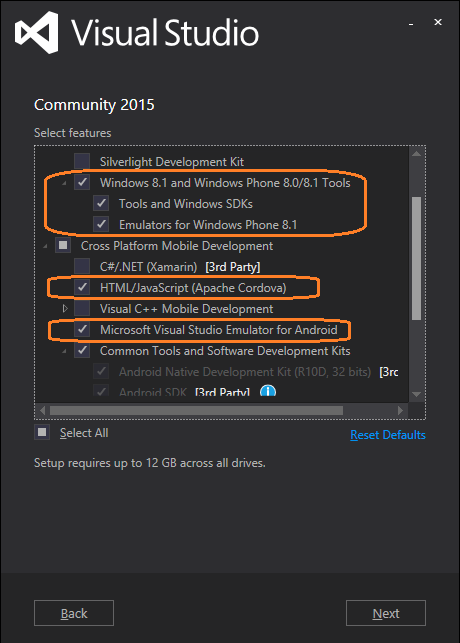
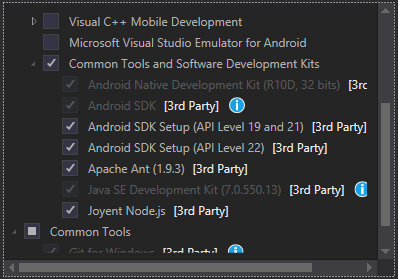
To install tools for Apache cordova just run visual studio 2015 setup and select the features as shown in below diagram.
When you will select above features, you will get the the following confirmation screen to install the features. To install these features you have to connect to internet since it will download these Sdks from internet.
Verifying Visual Studio Configuration
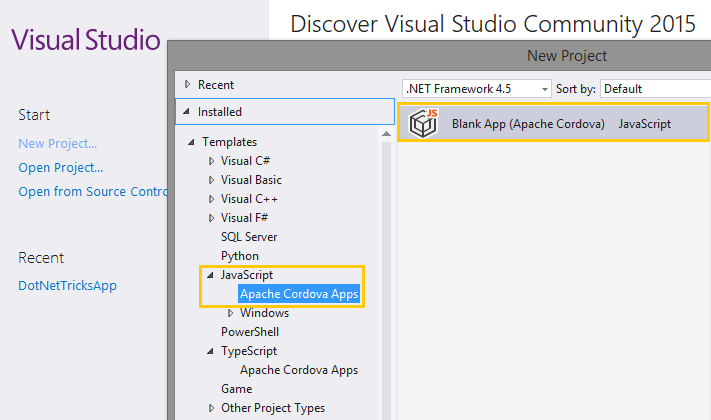
To verifiy visual studio configuration, just open it and select option to create a new project. When new project creation wizard will be open, under the template of JavaScript you will find the template for creating apache cordova blank app.
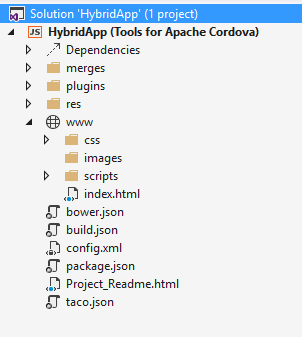
Now create a project for apache cordova and verify the following things.
Verify Cordova Tools installation
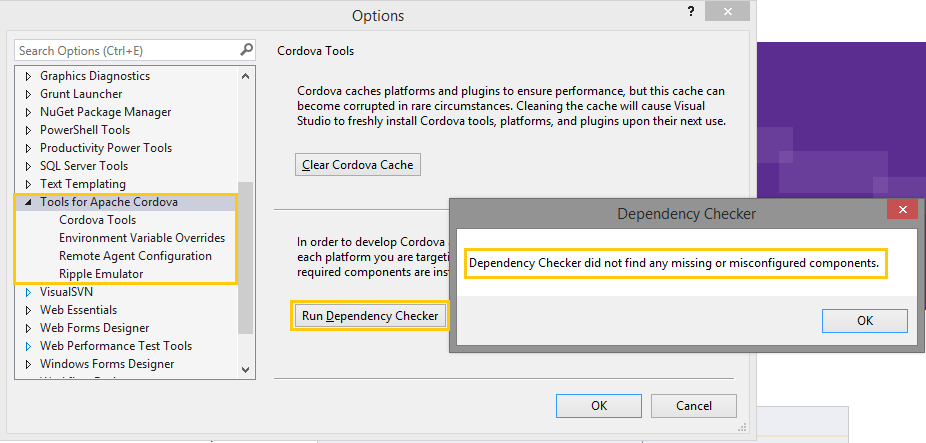
To verify it just navigating to Tools => Options => Tools For Apache Cordova in Visual Studio. Now click on button Run Dependency Checker and you will get the following alert box to say that there is no misconfigured componets.
Verify Emulator installation
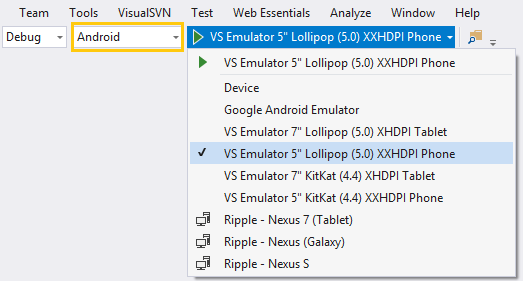
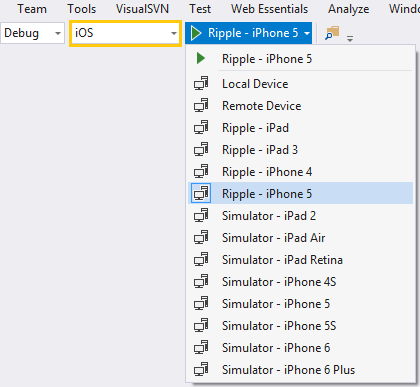
Now verify emulator installation for android, windows and ios. Screen shot for the emulator is shown below.
Note
To install tools for apache cordova make a internet connection
To create and build a project for apache cordova, run visual studio in administrator mode. For more help refer MSDN link
Building & Running Hybrid Mobile App
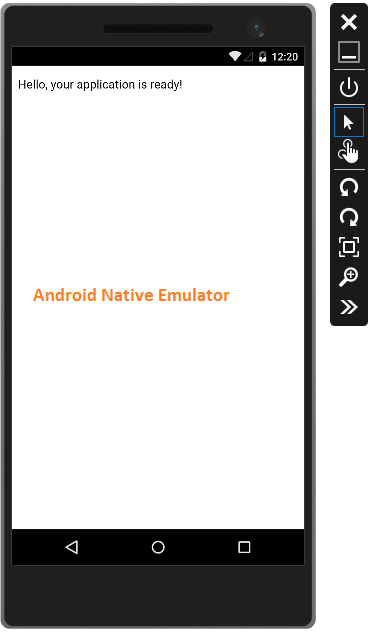
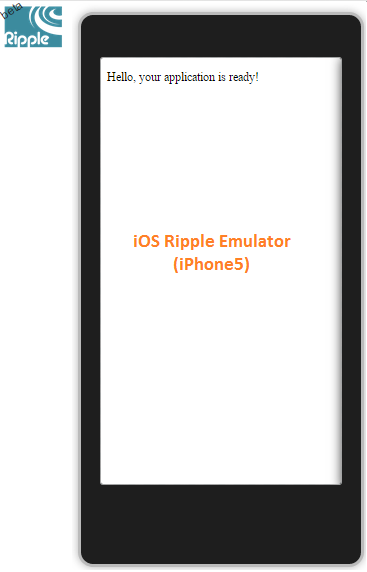
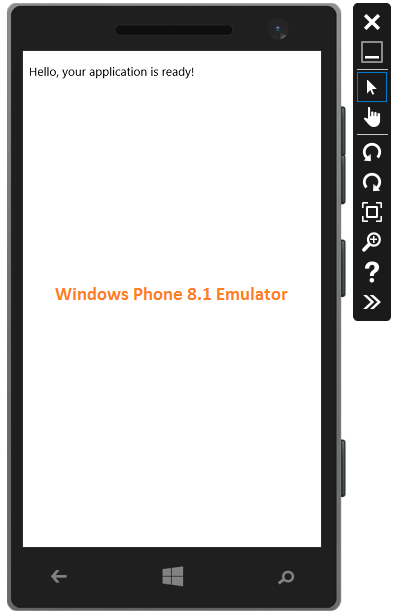
Now run you application with windows, android and iOS emulator one by one and you will see the following output.
What do you think?
In this article, you have learn how to configure your system for cross platform mobile apps development with visual studio. I would like to have feedback from my blog readers. Your valuable feedback, question, or comments about this article are always welcome.