Posted By : Shailendra Chauhan, 28 May 2015
Updated On : 29 May 2015
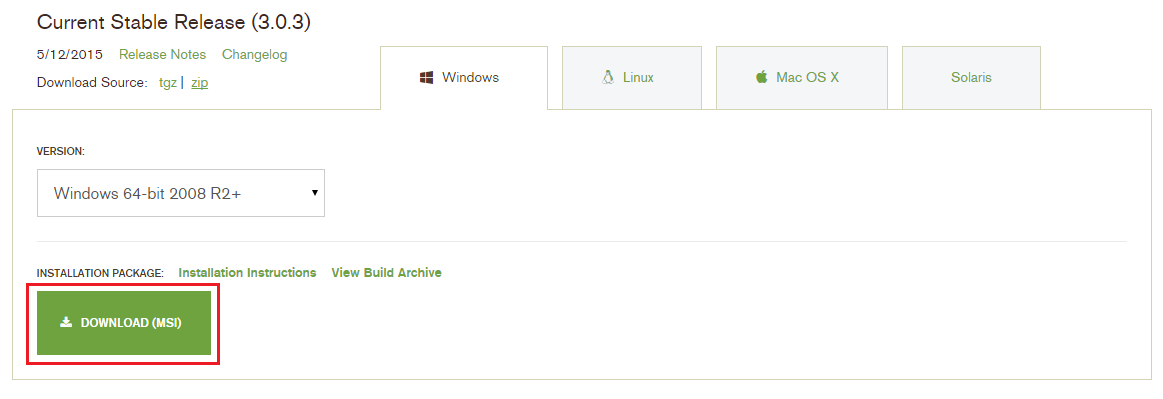
Before going to start Hands-On MongoDB, let's first install and configure it. Here, I am using windows OS to install and configure it. First download the latest release of MongoDB from MogoDB Inc. for windows OS.
Downloading MongoDB
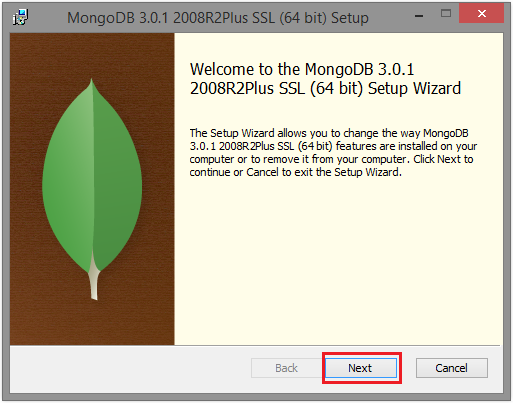
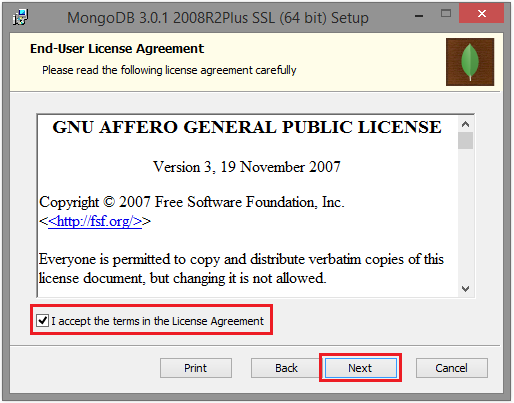
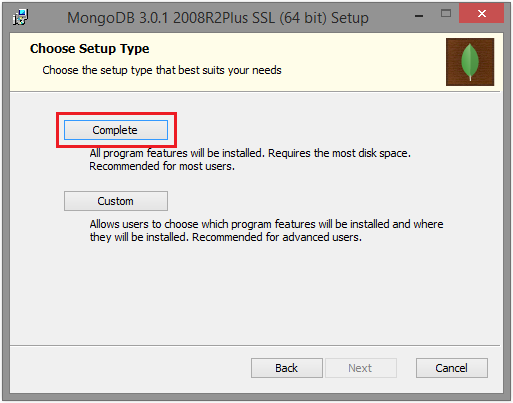
Installing MongoDB
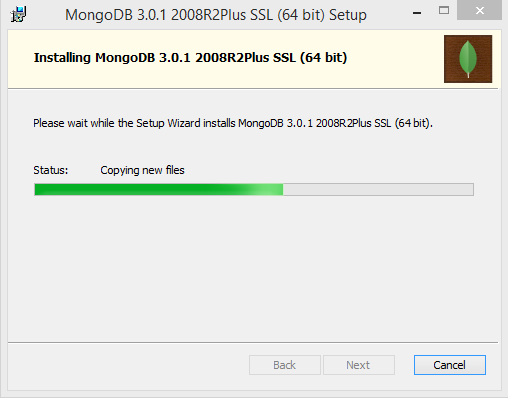
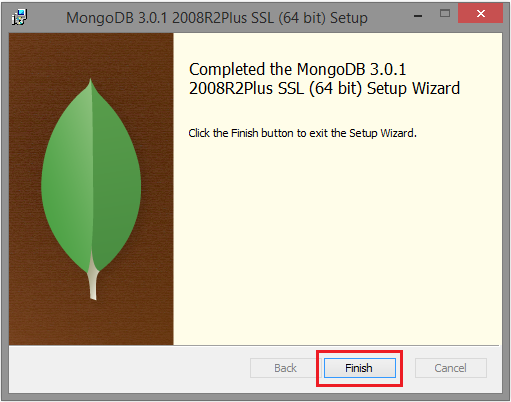
Just do double click on MongoDB setup file and follow the following steps to install it.
MongoDB server is installed at following location in my machine.
Configuring MongoDB and Working with MongoDB Shell
After installing MongoDB on your windows machine, you need to start the MongoDB shell to manage MongoDB Server. To start it follow the following steps.
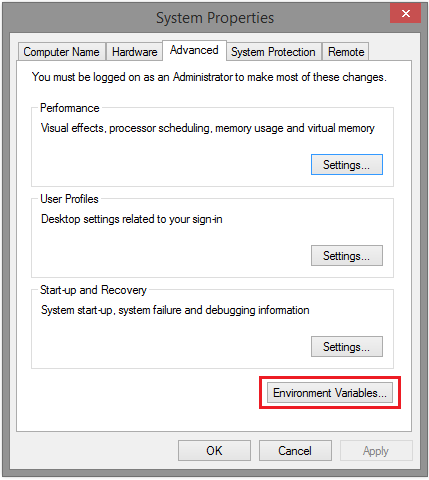
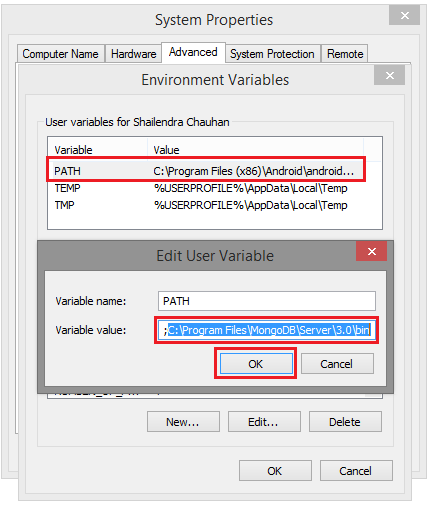
Configure the MongoDB path using environment variable path for the user.
In this variable value just append your mongodb installation dir path with bin folder using semicolon (;), like in my case it is C:\Program Files\MongoDB\Server\3.0\bin. Refer the screen shot for it. After that, click OK.
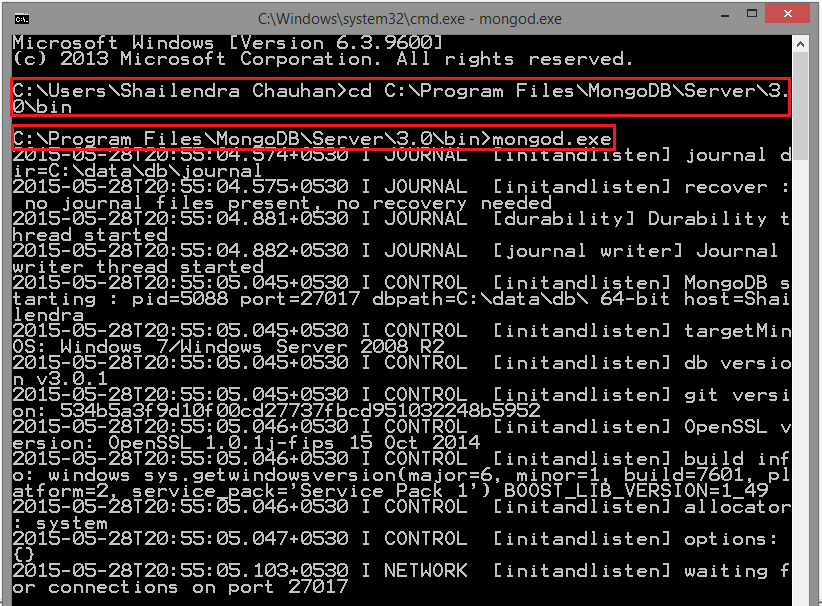
Open Command Prompt and go to your mongodb installation dir bin folder
cd C:\Program Files\MongoDB\Server\3.0\bin
Start MongoDB server by typing mongod.exe
If successful, your MongoDB server is started as shown below:
-
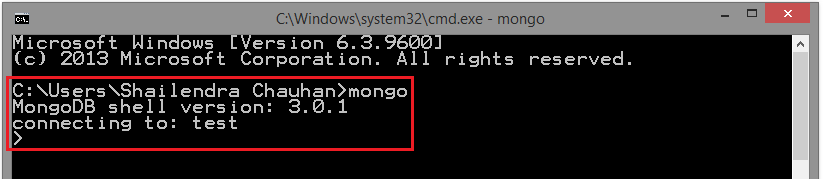
Now open another Command Prompt and run mongo command as:
mongo
If successful, your MongoDB shell is started as shown below:
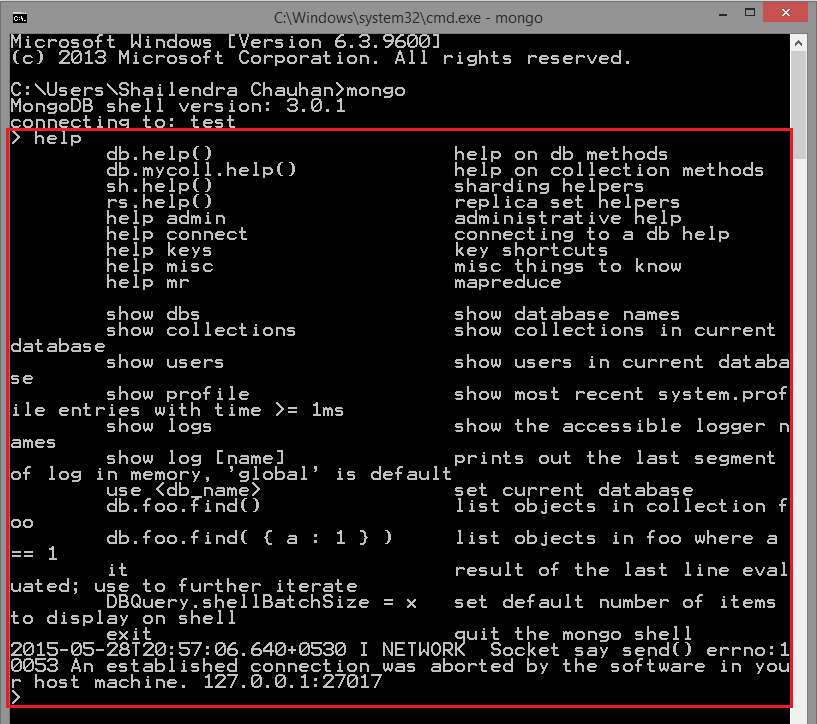
Run help command to get information about the MongoDB shell.
Now it's ready to manage and query your MongoDB database. That's it for now!
What do you think?
I hope you get idea how to install and configure MongoDB on your machine. I would like to have feedback from my blog readers. Your valuable feedback, question, or comments about this article are always welcome.